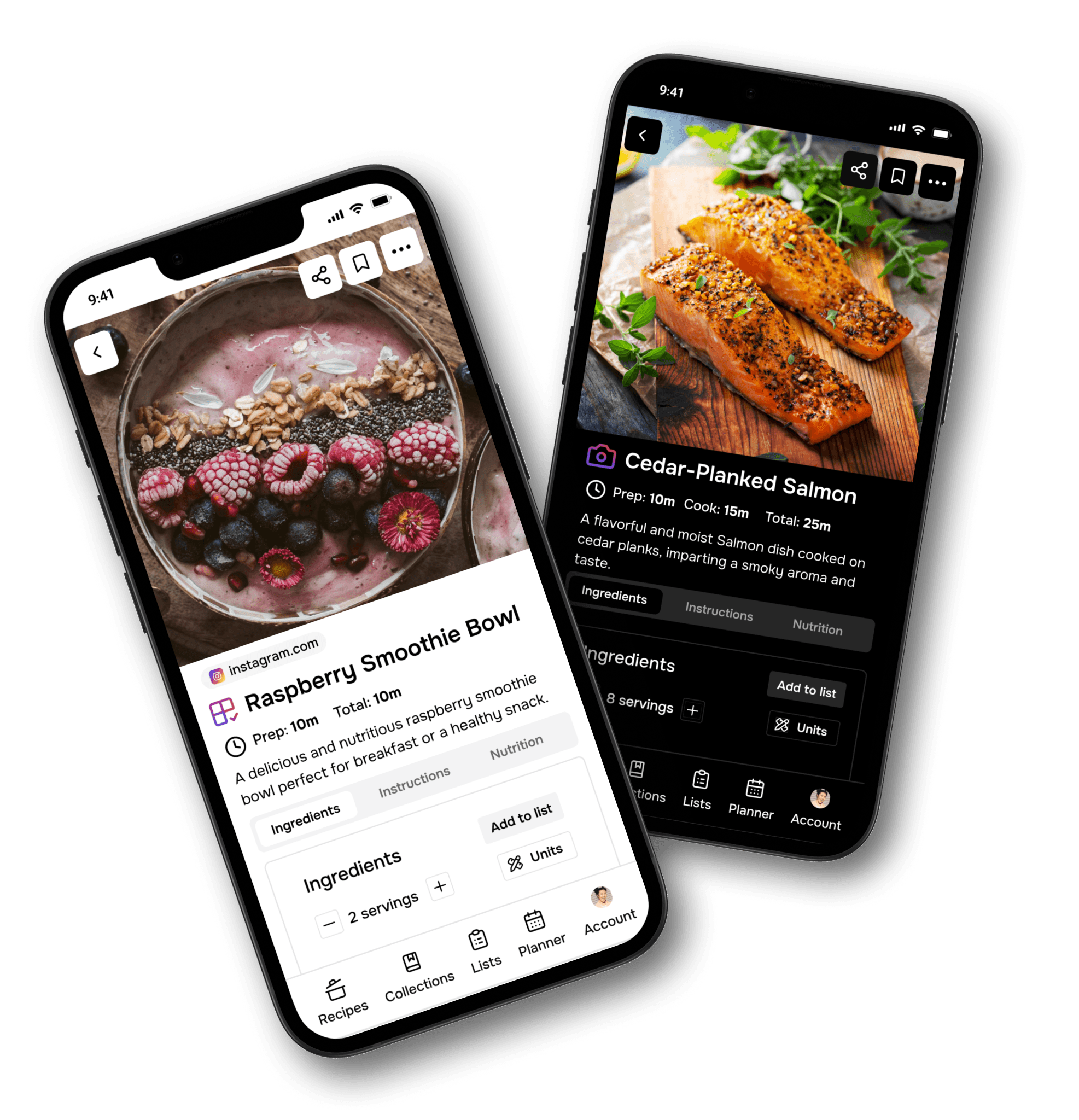
How to Save Recipes from Instagram, TikTok, YouTube, and Facebook with Flavorish
November 29, 2024

How to Quickly Add Recipes to Flavorish from Social Media
You know the cycle: you see a recipe on TikTok, save a Reel on Instagram, screenshot something from Facebook, or bookmark a YouTube cooking video… and then completely forget where it went.
Flavorish helps you turn social media recipe inspiration into recipes you can actually cook.
With Flavorish, you can save recipes from places like:
- Instagram Reels and posts
- TikTok videos
- YouTube recipe videos or shorts
- Facebook posts and reels
- Recipe links shared by friends
- Food blogs and recipe websites
Instead of leaving recipes scattered across social apps, screenshots, browser tabs, and notes, Flavorish gives you one organized place for your recipes. Save the recipe, clean it up, organize it, and come back when you’re ready to cook.
This guide shows you how to quickly add recipes to Flavorish from Instagram, TikTok, YouTube, and Facebook on both iOS and Android.
How to Save Instagram Recipes to Flavorish
Instagram is full of recipe inspiration, especially from Reels, food creators, home cooks, restaurants, and meal-prep accounts.
If you’ve ever wondered, “What’s the best app to save recipes from Instagram?” Flavorish is built for exactly that workflow.
You can save public Instagram posts and Reels directly to Flavorish using your phone’s share menu.
Save an Instagram Recipe on Android
- Find a Post or Reel: Find a public post or reel on Instagram with a recipe you'd like to save.
- Share the Post: Tap the share icon (bottom left for posts or reels) and and choose “Share”.
- Select Flavorish: Scroll through the apps and tap “Flavorish”.

Save an Instagram Recipe on iPhone
- Find a Post or Reel: Find a public post or reel on Instagram with a recipe you'd like to save.
- Share the Post: Tap the share icon (bottom left for posts or reels) and select “Share to..”.
- Select Flavorish: From the list of apps, tap “Flavorish” and choose "Save recipe".
- Don’t see Flavorish? Follow the steps mentioned at the end to add Flavorish as favorite share option.

Important Note About Instagram Imports
Flavorish can create the most accurate recipe when the Instagram caption includes the full recipe, such as: Ingredients, Measurements, Cooking steps, Timing and other Serving notes or the creator walks through the recipe in the audio.
If the Instagram post does not include a complete recipe, Flavorish may use AI to generate a suggested recipe based on the available information, such as the dish name, caption, hashtags, and visible context. You can always review and edit the recipe after saving.
How to Save TikTok Recipes to Flavorish
TikTok has become one of the biggest places people discover new recipes, from quick weeknight dinners to viral food trends. The problem is that TikTok recipes are easy to save and hard to find again. Flavorish lets you save TikTok recipes into a personal recipe app so you can actually cook them later.
Save a TikTok Recipe on Android
- Find a Recipe Video: Find a TikTok video featuring a recipe you want to save.
- Share the Video: Tap the Share button (bottom right) and tap "More".
- Select Flavorish: Tap “Flavorish” from the sharing options and tap "Save recipe".

Save a TikTok Recipe on iPhone
- Find a Recipe Video: Find a TikTok video featuring a recipe you want to save.
- Share the Video: Tap the Share button (bottom right) and select “More”.
- Select Flavorish: Scroll through the list of apps and tap “Flavorish” and choose "Save recipe".
- Don’t see Flavorish? Follow the steps mentioned at the end to add Flavorish as favorite share option.

Important Note About TikTok Imports
Flavorish can create the most accurate recipe when the TikTok caption includes the full recipe, such as: Ingredients, Measurements, Cooking steps, Timing and other Serving notes or the creator walks through the recipe in the audio.
If the TikTok post does not include a complete recipe, Flavorish may use AI to generate a suggested recipe based on the available information, such as the dish name, caption, hashtags, and visible context. You can always review and edit the recipe after saving.
How to Save YouTube Recipes to Flavorish
YouTube is perfect for detailed recipe tutorials, but it isn’t always convenient when you’re trying to cook. Maybe the ingredients are buried in the description. Maybe the steps are spread across a fifteen-minute video. Or maybe you simply want to save the recipe in the same place as the rest of your recipes. Flavorish helps you turn YouTube cooking videos into organized recipes you can revisit anytime.
Save a YouTube Recipe on Android
- Find a Recipe Video: Find a recipe video you'd like to save on YouTube.
- Share the Video: Tap the "Share" button and select “More”.
- Select Flavorish: Choose “Flavorish” in the sharing options and tap "Save recipe".

Save a YouTube Recipe on iPhone
- Find a Recipe Video: Browse YouTube for a recipe video that inspires you.
- Share the Video: Tap the "Share" button and select “More”.
- Select Flavorish: Scroll and tap “Flavorish” from the app list and choose "Save recipe".
- Don’t see Flavorish? Follow the steps mentioned at the end to add Flavorish as favorite share option.

Important Note About YouTube Imports
Flavorish can create the most accurate recipe when the YouTube caption includes the full recipe, such as: Ingredients, Measurements, Cooking steps, Timing and other Serving notes or the creator walks through the recipe in the audio.
If the YouTube video does not include a complete recipe, Flavorish may use AI to generate a suggested recipe based on the available information, such as the dish name, caption, hashtags, and visible context. You can always review and edit the recipe after saving.
How to Save Facebook Recipes to Flavorish
Facebook is still a major source of recipe inspiration, especially from food bloggers, cooking groups, family members, local communities, and recipe pages.
But Facebook recipes can be especially hard to find later. They may be hidden in a group, buried in a feed, or shared as a video with limited written instructions.
Flavorish helps you save Facebook recipes into your personal digital cookbook.
Save a Facebook Recipe on Android
- Find a Recipe Post: Look for a recipe post, photo, or video from a public Facebook profile or page.
- Share the Post: Tap the Share button, then select “More”.
- Select Flavorish: Scroll and select “Flavorish” from the options and tap "Save recipe".

Save a Facebook Recipe on iPhone
- Find a Recipe Post: Search Facebook for a public recipe post, photo, or video you’d like to save.
- Share the Post: Tap the Share button and then select “More”.
- Select Flavorish: From the app list, tap “Flavorish” and tap "Save recipe".
- Don’t see Flavorish? Follow the steps mentioned at the end to add Flavorish as favorite share option.
Important Note About Facebook Imports
Flavorish can create the most accurate recipe when the Facebook caption includes the full recipe, such as: Ingredients, Measurements, Cooking steps, Timing and other Serving notes or the creator walks through the recipe in the audio.
If the Facebook post does not include a complete recipe, Flavorish may use AI to generate a suggested recipe based on the available information, such as the dish name, caption, hashtags, and visible context. You can always review and edit the recipe after saving.
How to Add Flavorish as a Favorite Share Option on iPhone
If you save recipes often, adding Flavorish as a favorite share option makes the process much faster.
- Tap the Share button on a recipe in your browser or app.
- Scroll to the right and tap “More”.
- Tap “Edit” in the top-right corner.
- Find “Flavorish” and tap the ‘+’ button.
- Drag Flavorish to the top of the list and press "Done".
Now Flavorish will appear more quickly when you share recipes from apps like Instagram, TikTok, YouTube, Facebook, Safari, or Chrome.

How to Add Flavorish as a favorite share option on iOS.
What Happens After You Save a Recipe?
Once you share a recipe to Flavorish, the app helps turn it into a more usable recipe format. Depending on the source, Flavorish may help capture or generate:
- Recipe title
- Ingredients
- Instructions
- Prep time
- Cook time
- Servings
- Source link
- Notes
From there, you can organize the recipe in your collection and come back to it when you’re ready to cook.
Instead of searching through Instagram saves, TikTok favorites, Facebook posts, and YouTube history, you can open Flavorish and find your recipes in one calm place.
Best Practices for Saving Social Media Recipes
To get the best results when importing recipes from social media, look for posts that include as much written detail as possible.
Choose posts with complete recipe details
Flavorish works best when the post includes:
- Full ingredient list
- Measurements
- Clear steps
- Cooking times
- Serving size
- Helpful notes from the creator
Review AI-generated recipes
If a social post does not include the full recipe, Flavorish may use AI to generate a suggested recipe from the available information.
This is helpful for saving inspiration, but you should always review the recipe before cooking.
Keep the original source link
Flavorish helps you save the original source, so you can return to the creator’s post if needed. This is especially useful when:
- The video includes visual technique
- The creator gives extra tips in comments
- You want to credit or revisit the original post
- The recipe needs clarification
Organize recipes as you save them
A few simple terms can make your recipe collection much easier to use later.
Helpful terms include:
- Weeknight dinner
- Meal prep
- Vegetarian
- High protein
- Dessert
- Air fryer
- Pasta
- Chicken
- Family favorites
- Want to try
The goal is not just to save more recipes. The goal is to find the right recipe when you need it.
Why Flavorish Is More Than a Recipe Saver
Saving recipes is only the first step. Flavorish is designed to help you move from inspiration to action.
That means you can go from:
“I saw this recipe on TikTok.”
to:
“I saved it, organized it, planned it, and know what I need to buy.”
Flavorish is built for people who save recipes everywhere but want one reliable place to actually use them.
Whether your recipes come from Instagram, TikTok, YouTube, Facebook, food blogs, family texts, or your own notes, Flavorish helps you build a personal recipe collection that fits the way you cook.
Frequently Asked Questions
Can I save recipes from Instagram to Flavorish?
Yes. You can save public Instagram posts and Reels to Flavorish using the share menu on iOS or Android. Flavorish works best when the post caption includes the full recipe.
Can I save TikTok recipes to Flavorish?
Yes. Open the TikTok recipe video, tap Share, select More, and choose Flavorish. If the TikTok description includes recipe details, Flavorish can use that information to create a saved recipe.
Can Flavorish import recipes from YouTube videos?
Yes. You can share YouTube recipe videos to Flavorish. For the most accurate import, the YouTube description should include the full written recipe.
Can I save Facebook recipes to Flavorish?
Yes. You can save public Facebook recipe posts, videos, photos, and page posts to Flavorish through your device’s share menu.
What happens if the social media post does not include the full recipe?
If the post does not include complete recipe details, Flavorish may use AI to generate a suggested recipe based on available information like the dish name, caption, hashtags, and source context. You can review and edit the recipe after saving.
Does Flavorish work on iPhone and Android?
Yes. Flavorish is available for both iOS and Android, and you can use your device’s share menu to save recipes from supported apps and websites.
Is Flavorish a recipe organizer or just a recipe saver?
Flavorish is more than a recipe saver. It helps you save, organize, and use your recipes, so your social media food inspiration becomes an actual cooking plan.
Start Saving Your Social Media Recipes in Flavorish
The next time you find a recipe on Instagram, TikTok, YouTube, or Facebook, don’t leave it buried in another app.
Share it to Flavorish and save it in one organized place.
Download the Flavorish app today on iOS or Android and start building your personal recipe collection, one tap at a time.