How to Plan a Stress‑Free Holiday Menu With Flavorish (Step‑by‑Step)
December 20, 2025

How to Plan a Stress‑Free Holiday Menu With Flavorish (Step‑by‑Step)
Planning Christmas dinner or a full week of holiday meals can feel overwhelming. Recipe tabs everywhere, screenshots in your camera roll, and three different grocery lists on the counter. Flavorish makes it simple by putting all your recipes, menus, and grocery lists in one place.
This guide walks you through exactly how to:
- Save recipes from websites and social media
- Build Christmas Eve menus (Flavorish inspired menu with real links you can save)
- Create a Holiday Collection in Flavorish
- Plan a week of hosting with the Meal Planner
- Share a grocery list with family or friends
Use this workflow every year for stress‑free holiday menu planning.
Step 1: Save All Your Holiday Recipes Into Flavorish
Holiday ideas and inspirations come from everywhere; Instagram reels, TikTok, Pinterest, blogs, and old family recipes. Instead of bouncing between apps, pull *everything* into Flavorish so your mains, sides, desserts, brunches, and snacks all live in one place.
Save recipes from websites
- Copy/ Paste any recipe URL into Flavorish’s “Save recipe link” feature.
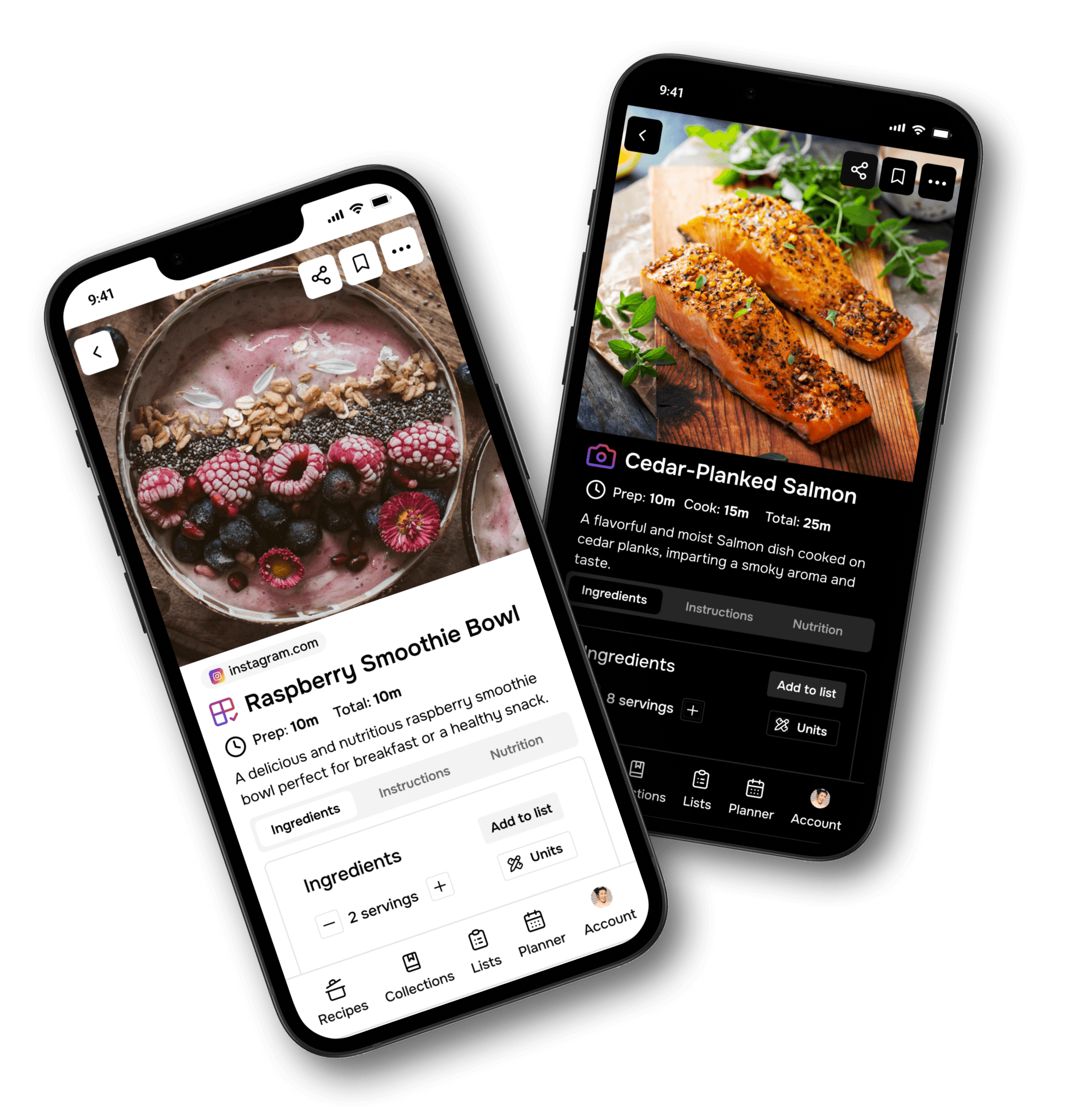
- Our app automatically pulls ingredients, instructions, cook times, and servings into a clean recipe view. Follow this guide for all the details: Save recipes from Websites
Save recipes from social media
For reels, TikToks, and YouTube videos, use this guide: Save recipes from social media
- Find a Post or Reel: Find a public post or reel on Instagram with a recipe you'd like to save.
- Share the Post: Tap the share icon and and choose “Share”.
- Select Flavorish: Scroll through the apps and tap “Flavorish”.
We extract the key details so you don’t have to hunt through captions while you cook. Once you’ve done this, you’ve got a single recipe hub you can use to build your menus.
Step 2 : Use These Christmas Eve Menu Ideas (Save Each Recipe to Flavorish)
Here are two ready‑made curated Christmas Eve menus you can import into Flavorish. Flavorish. All credit goes to the original recipe developers and food creators who shared these amazing dishes, we’ve simply brought them together into an easy, organized menu for you.
To add them to Flavorish, just paste each link into the correct feature:
- Use “Save recipe link” for recipes from websites
- Use “Save recipe from social media” for Instagram, TikTok, or YouTube recipes
A. Classic Christmas Dinner Menu

Starter & Salad
- Holiday Party Salad, source: @bayanbites7
- Baked Brie with Cranberry‑Pecan‑Bacon Crumble, source: Food Network
Main (choose one)
- Dry‑Brined Roast Turkey with Pan Gravy, source: NYT Cooking
- Brown Sugar–Glazed Holiday Ham, source: Taste of home
Sides
- Mashed Potatoes au Gratin, source: Food Network
- Classic Stuffing , source: Delish
- Cheesy Green Bean Casserole, source: Spicy Southern Kitchen
- Pull‑Apart Parker House Rolls, source: Food Network
- Classic Cranberry Sauce, source: @createaplatewithdina
Desserts
- Gingerbread Cookies, source: @leslieyaret_
- Pumpkin Pie, source: Youtube: Food Wishes
Drink
- Classic Eggnog, source: Delish
B. Lighter & Modern Christmas Dinner Menu

Starter & Salad
- Artichoke‑Spinach Dip , source: Allrecipes
- Roasted Kabocha Squash, Haricots Verts, Mushrooms and Pepitas, source: Food Network
Mains
- Slow‑Roasted Citrus Salmon With Herb Salad, source: NYT Cooking
- Shrimp Scampi, source: Food Network
Sides
- Roasted Vegetables with Herbed Feta, Pistachio & Pomegranate, source: Katieleekitchen
- Roasted Sweet Potato and Quinoa Salad, source: @maldonsalt
- Glazed Brussels Sprouts and Potatoes, source: Food Network
Desserts
- Citrus Olive Oil Cake, source: CookieandKate
- Mint Chocolate Bonbons, source: Surlatable
Drink
- White Christmas Mimosas, source: Southernliving
Once you save these recipes into Flavorish, you’re ready to organize.
Step 3: Create a Holiday Collection in Flavorish
Now turn your saved recipes into a clear, organized collection which can be revisited and repurposed later.
- Create a collection: Name it something like: “Christmas Eve 2025” or ”Holiday Week with Family”, ”Friendsmas Dinner” etc.
- Add recipes to the collection:
- Main holiday dinner (mains, sides, dessert, drinks)
- Breakfast/brunch recipes for visiting family
- Easy lunches and leftover recipes
- Snacks/appetizers
- Special drinks (cocktails, mocktails, hot chocolate)
You now have one place to scroll through all of your holiday options.
Step 4: Plan Your Week With the Flavorish Meal Planner
Your collection holds all your ideas. The Meal Planner turns those ideas into a real schedule.
1. Start with your main holiday dinner
- Open Meal Planner in Flavorish.
- Pick the date of your Christmas Eve or Christmas Day dinner.
- Add:
- 1–2 mains
- 3–5 sides
- 1–2 desserts
- Drinks
Check cooking times and choose a few dishes you can prep the day before (like desserts, sauces, and some sides).
2. Fill in the rest of the week
Think through what your family needs each day:
- Arrival day: Easy dinner (sheet‑pan meal, soup, or baked pasta) + simple snacks.
- Night before the big meal: Lighter dinner or brunch‑for‑dinner so you’re not exhausted.
- The day after: Leftover‑friendly recipes: turkey sandwiches, ham fried rice, stuffing waffles, etc.
- Breakfasts/brunches: Rotate:
- Overnight casseroles
- Baked oatmeal
- Frittatas
- Cinnamon rolls or pastries
- Snacks and grazing: Cheese boards, dips, snack mixes for long family days.
Add each meal to the correct day and time (breakfast, lunch, dinner). By the end, you’ll have a clear calendar of what you’re cooking and when.
Step 5: Turn Your Menu Into a Shared Grocery Lists
Now it’s time to shop, without juggling multiple lists.
- From your planned recipes, add ingredients to the Flavorish grocery list.
- Flavorish combines ingredients across recipes and lets you adjust quantities.
- Share the list with your partner, roommate, or family members.
- Everyone can check off items as they shop, in real time.
This makes grocery shopping a team effort, not a solo job. Here's a detailed guide on how to collaborate and share grocery lists.
Step 6: Reuse Your Holiday Plan Next Year
The best part of using Flavorish for holiday menu planning:
- Your recipes, notes, and menus are saved.
- You can reuse your Christmas Eve or Holiday Week collection next year.
- Tweak based on what your family loved (or didn’t).
Each year gets easier, and you’ll have a stress‑free holiday menu ready in minutes.