How to Save TikTok Recipes to Flavorish
November 30, 2024

How to Save TikTok Recipes to Flavorish
TikTok has become one of the biggest places to discover new recipes. From viral pasta trends to high-protein meal prep, air fryer dinners, desserts, and quick lunch ideas, TikTok makes it easy to find cooking inspiration. But saving TikTok recipes is not the same as organizing them. You might favorite a video, send it to yourself, screenshot the caption, or hope you can find it again later. Then, when it is time to cook, the recipe is buried somewhere in your TikTok saves. Flavorish helps you save TikTok recipes into a personal recipe app so you can actually find and cook them later.
Can You Save TikTok Recipes to Flavorish?
Yes. You can save TikTok recipe videos to Flavorish by tapping the TikTok share button, selecting More, and choosing Flavorish from your device’s sharing options. Flavorish works best when the TikTok caption includes ingredients, measurements, or cooking steps.
Why Save TikTok Recipes to Flavorish?
TikTok is great for discovering recipes, but not always easy to cook from. Recipes can be buried in favorites, missing written steps, hidden in vague captions, or spread across fast-moving videos. Flavorish turns TikTok food inspiration into organized recipes you can save, search, and categorize, from weeknight dinners and meal prep to high-protein meals, desserts, air fryer recipes, and family favorites. You can also use meal planning and grocery lists to plan a week of meals and make grocery runs easier.
How to Save a TikTok Recipe to Flavorish on Android
Here is how to save a recipe from TikTok to Flavorish on Android:
- Open TikTok: Find a recipe video you want to save.
- Share the Video: Tap the Share button (bottom right) and tap "More".
- Select Flavorish: Choose Flavorish from the sharing options. The recipe will automatically save to your Flavorish account.
Alternatively:
- Copy recipe link: Copy the recipe link, paste it into Save recipe from social media feature, and tap Save.

Save recipes from TikTok to Flavorish on Android
How to Save a TikTok Recipe to Flavorish on iOS
Follow these steps to save TikTok recipes to Flavorish on iOS:
- Open TikTok: Find a recipe video you want to save.
- Share the Video: Tap the Share button (bottom right) and select “More”.
- Select Flavorish: Choose Flavorish from the sharing options. The recipe will automatically save to your Flavorish account.
- Don’t see Flavorish? Follow the steps mentioned at the end to add Flavorish as favorite share option.
Alternatively:
- Copy recipe link: Copy the recipe link, paste it into Save recipe from social media feature, and tap Save.

Save recipes from TikTok to Flavorish on iOS
Important Note About TikTok Recipe Imports
Flavorish can create the most accurate recipe when the TikTok caption includes the full recipe, such as: Ingredients, Measurements, Cooking steps, Timing and other Serving notes or the creator walks through the recipe in the audio.
If the TikTok post does not include a complete recipe, Flavorish may use AI to generate a suggested recipe based on the available information, such as the dish name, caption, hashtags, and visible context. You can always review and edit the recipe after saving.
How to Add Flavorish as a Favorite Share Option on iOS
If you save recipes often, adding Flavorish as a favorite share option makes the process much faster.
- Tap the Share button on a recipe in your browser or app.
- Scroll to the right and tap “More”.
- Tap “Edit” in the top-right corner.
- Find “Flavorish” and tap the ‘+’ button.
- Drag Flavorish to the top of the list and press "Done".
Now Flavorish will appear more quickly when you share recipes from apps like Instagram, TikTok, YouTube, Facebook, Safari, or Chrome.

How to Add Flavorish as a favorite share option on iOS.
Tips for Saving Better TikTok Recipes
For the best results, save TikTok videos that include complete recipe details.Look for posts where the creator includes:
- Ingredient names
- Exact measurements
- Cooking temperature
- Step-by-step method
- Prep and cook time
- Serving size
- Written instructions in the caption
- Helpful pinned comments
If a TikTok recipe is mostly visual, keeping the original source link in Flavorish is especially useful. You can return to the video to check texture, technique, timing, or plating.
What Happens After You Save a TikTok Recipe?
When you share a TikTok recipe to Flavorish, the app helps convert it into a more useful format.Depending on the source, Flavorish may help capture or generate:
- Recipe title
- Ingredients
- Instructions
- Prep time
- Cook time
- Servings
- Original TikTok link
- Notes
This makes it easier to find and use the recipe later without scrolling through your TikTok favorites.
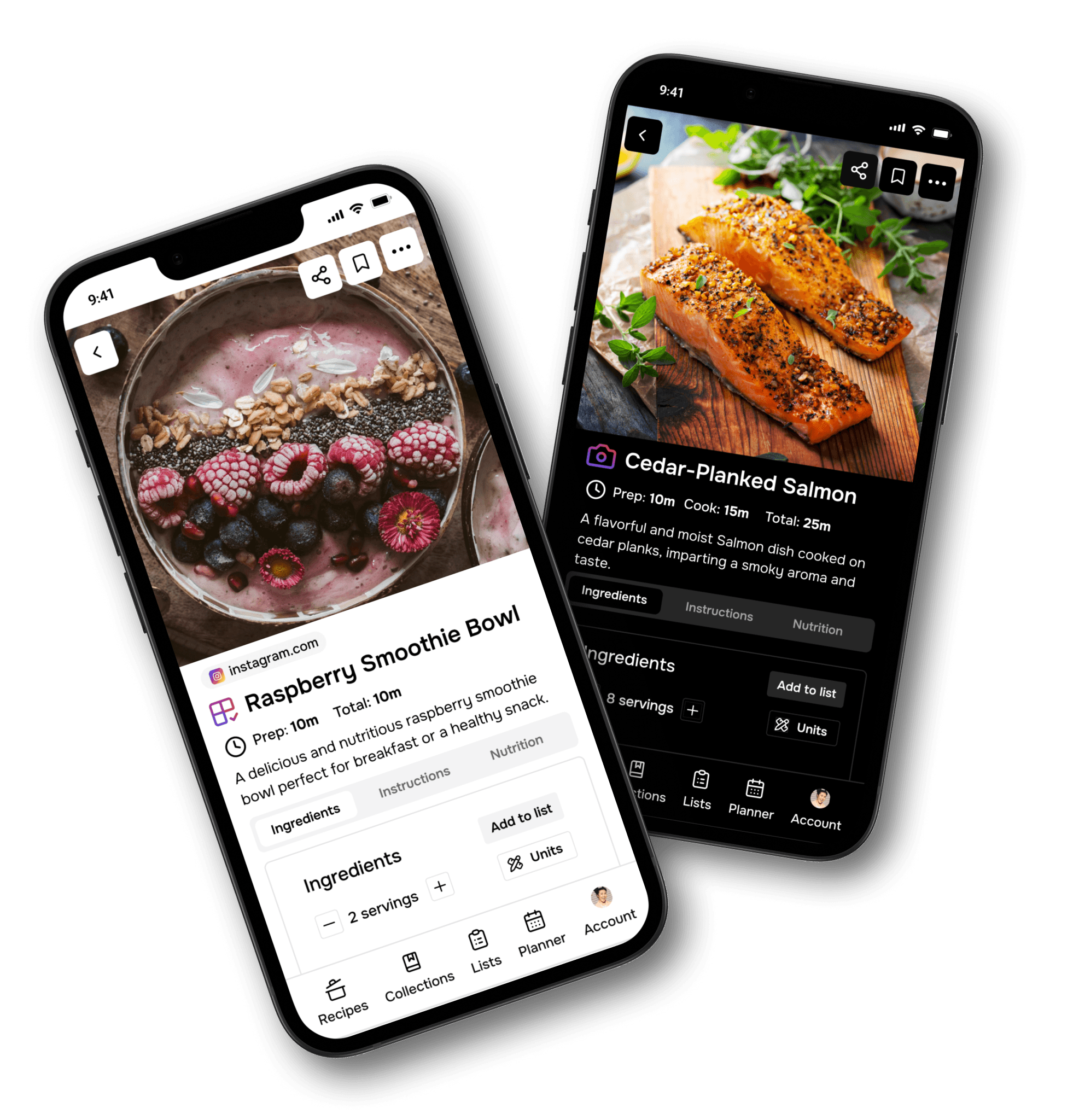
After you share a TikTok recipe to Flavorish, the app turns it into a usable recipe with details like the title, ingredients, instructions, prep and cook times, servings, source link, and notes.
You can then organize it by category, meal type, ingredient, or cooking style such as family favorites, weeknight dinners, slow cooker meals, holiday recipes, desserts, chicken, meal prep, or want to try.
FAQs About Saving TikTok Recipes
Can I save TikTok recipes to Flavorish?
Yes. Open the TikTok recipe video, tap Share, select More, and choose Flavorish.
Can Flavorish save viral TikTok recipes?
Yes. You can save public TikTok recipe videos to Flavorish and organize them in your recipe collection.
What if the TikTok recipe does not have ingredients in the caption?
If the recipe details are incomplete, Flavorish may use AI to generate a suggested recipe from available information. You can review and edit it after saving.
Can I organize TikTok recipes in Flavorish?
Yes. After saving a TikTok recipe, you can organize it in your Flavorish collection so it is easier to find later.
Does Flavorish work on iPhone and Android?
Yes. Flavorish works on both iOS and Android using your device’s share menu.
The next time you find a recipe on TikTok, do not let it disappear into your favorites. Share it to Flavorish and save it in one organized recipe collection. Download Flavorish on iOS or Android and start saving your favorite TikTok recipes today.